Why simpleappscreens.com is the best tool for generating iOS and Android marketing screenshots
· GNK Softworks
We built Simple App Screens because we were tired of the two usual options: juggling several sets of screenshots by hand, or paying a monthly fee for a fairly simple tool that then charged extra for different layouts. We are biased, obviously, but here is the case for why we think it is the best way to make App Store and Google Play screenshots.
It is free, with nothing held back
There is no login, no subscription and no paid tier. Every layout, every device and every export is available to everyone, and you can export as many times as you like. Nothing is watermarked.
Your screenshots never leave your computer
The whole tool runs in your browser. There is no backend to upload to, no account holding your files, and no cookies or analytics. That matters if you are working on an unreleased app, or if you simply do not want your work sitting on someone else's server.
One design, iOS and Android
You design each screen once: a headline, a layout and a background. The same design is rendered for every format you enable, each with its own device frame and the right app screenshot.
| Format | Export size | Store |
|---|---|---|
| iPhone 6.9" | 1320 × 2868 | App Store |
| iPhone 6.3" | 1206 × 2622 | App Store |
| iPhone 6.1" | 1179 × 2556 | App Store |
| iPhone 6.5" | 1242 × 2688 | App Store |
| iPhone Duo | 2007 × 2853 | App Store |
| iPad 13" | 2064 × 2752 | App Store |
| Android phone | 1080 × 1920 | Google Play |
| Android 10" tablet | 1600 × 2560 | Google Play |
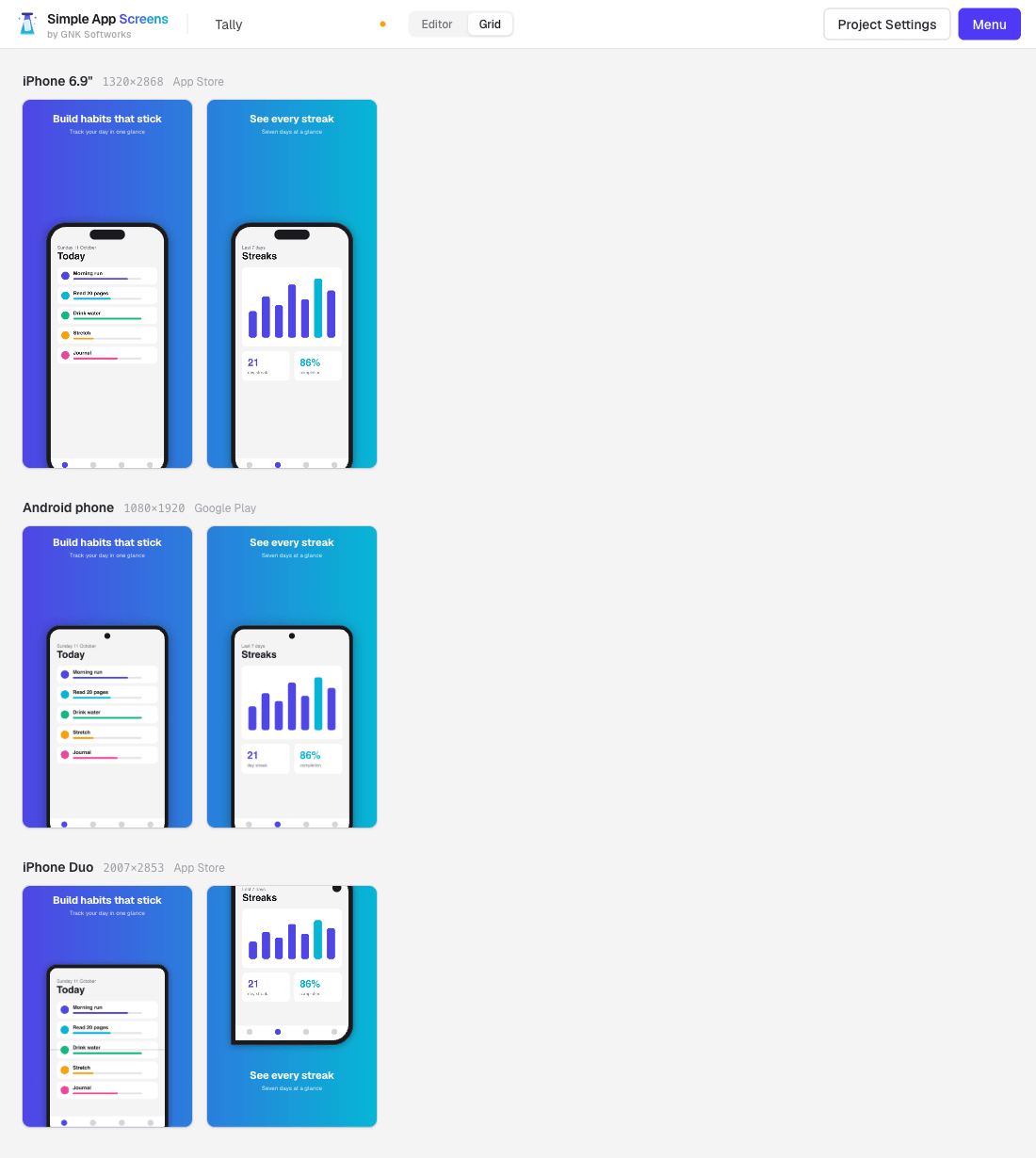
Exact store sizes, every time
Exports are PNGs at the exact pixel dimensions of each format, so there is no resizing step and no rejected upload because an image was a few pixels out. Download a single image, or get everything as one ZIP with a folder per format and files numbered in order.
Layouts that do the design work
There are 36 layouts to choose from, in five groups:
- Basic: text above or below the device, centred devices, peeks, text-only and logo-led screens.
- Tilt: angled devices for a bit more energy.
- Two Device: show two app screens in one image.
- Landscape: for games and other landscape apps.
- Multi Page: panoramas where one device spans two neighbouring screenshots.
Layouts are defined proportionally, so each one adapts to every format. When a shape needs something different, you can give a single device its own layout and nudge the device or text vertically for that format alone.
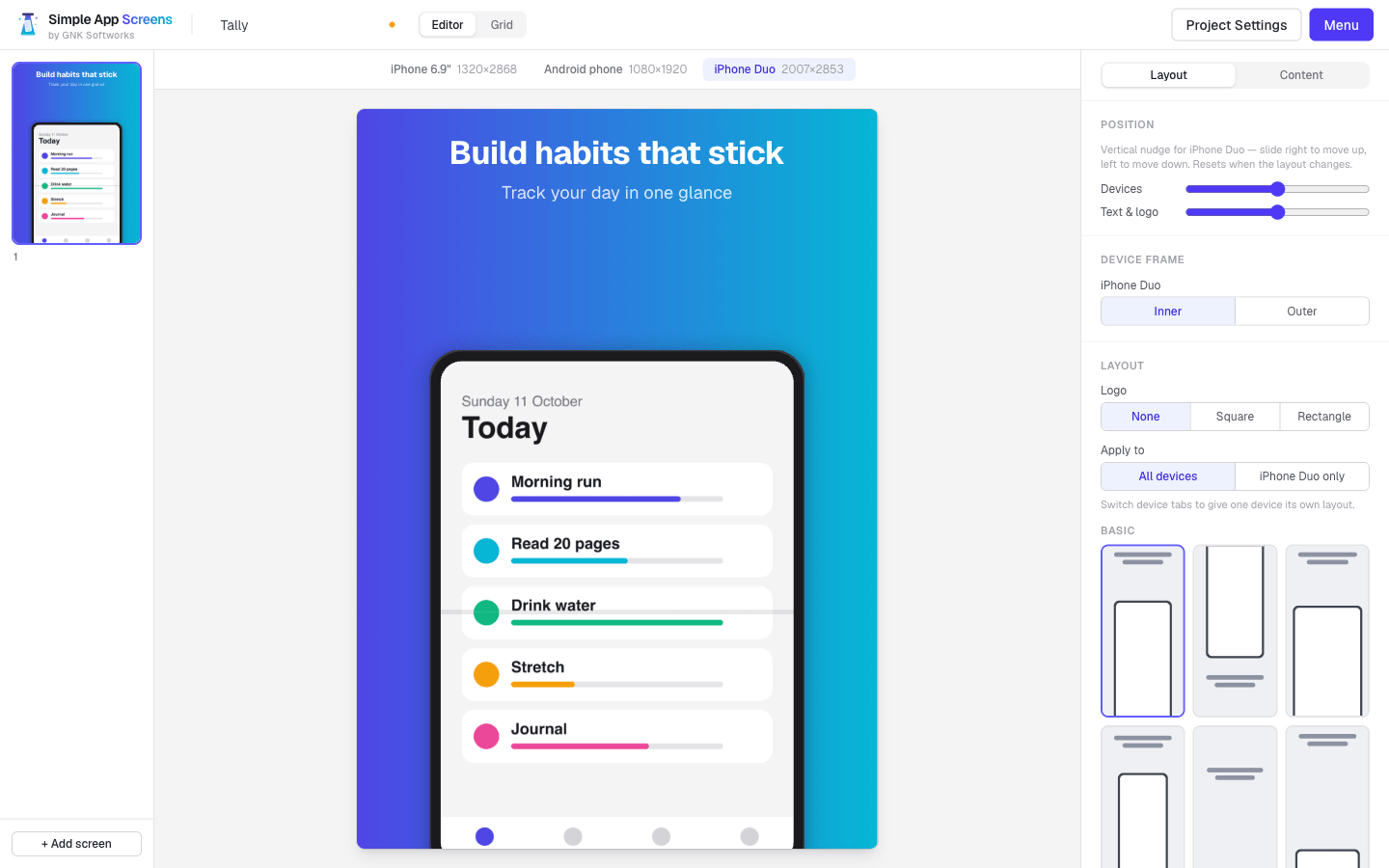
The details are covered
- Solid, gradient or spanning-gradient backgrounds. A spanning gradient flows across the whole set, so the screenshots read as one piece on the store page.
- Ten font families, with per-screen overrides.
- Your square logo or wordmark on any screen.
- Device frames for iPhone, iPad, Android phones and tablets, and both the open and closed iPhone Duo.
- HEIC, TIFF, BMP and AVIF uploads are converted for you, alongside the usual PNG, JPEG and WebP.
You keep the project
Your work saves to a single .sasb file on your computer. Open it later, change what changed, and re-export everything. We wrote more about that in Create once, save and update.
What it does not do
It is deliberately simple. There is no cloud sync, no team accounts and no template marketplace, and it does not upload to the stores for you. If you need those, another tool will suit you better. If you want good-looking, correctly sized screenshots for both stores without an account or a bill, this is what we made it for.